 TabDeskv0.6.0Public beta
A desktop workspace for running coding agents across every project at once.
TabDesk installs from its own apt repository rather than the catalog below, so it does not appear among the files on this site. The install page has the one-line installer, the step-by-step commands and the signing key fingerprint to check before you trust it.
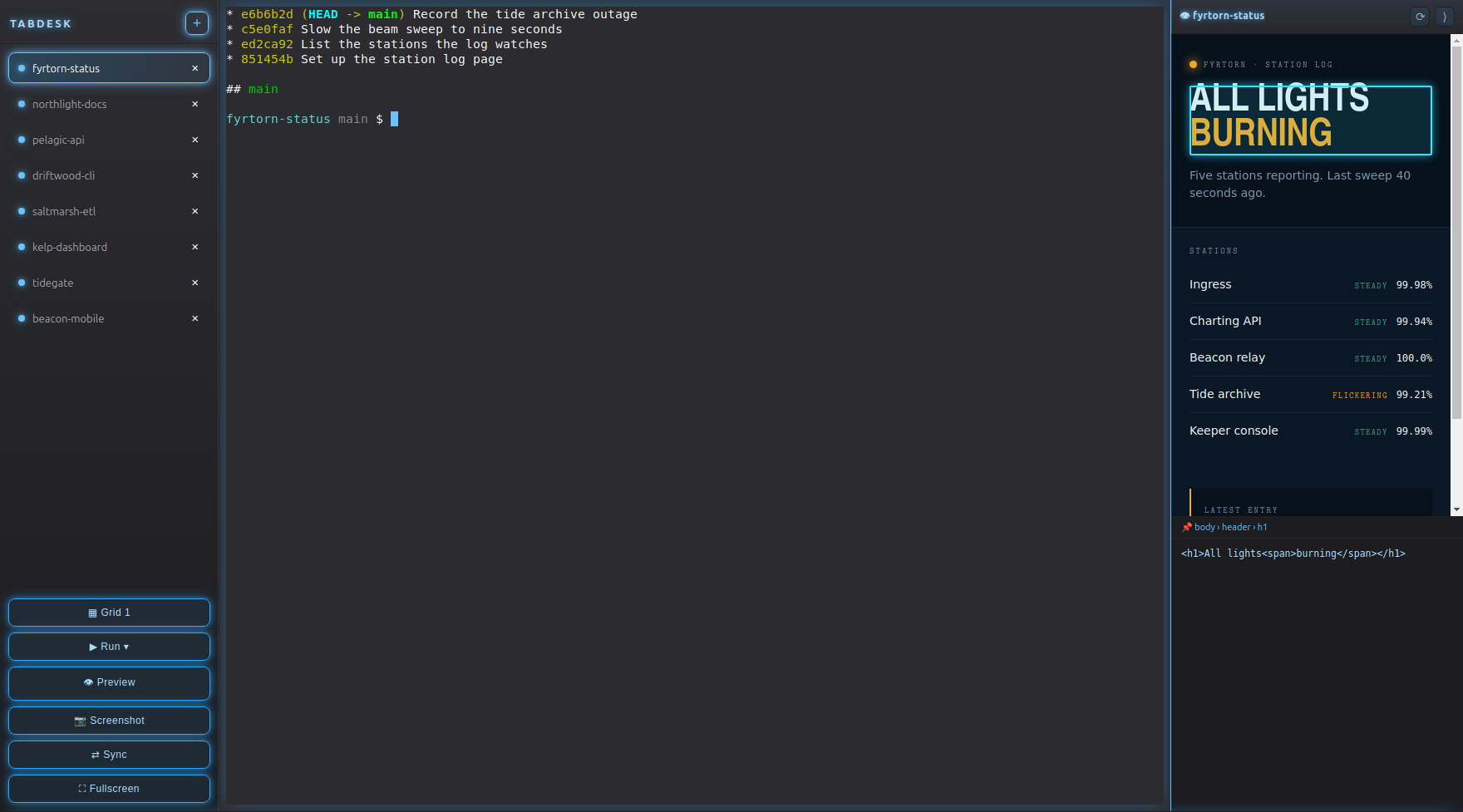
TabDesk is a desktop shell for driving coding agents across many projects at the same time. Every directory under your projects folder becomes a tab in the left-hand rail; opening one spawns a terminal already running that project's agent — Claude Code unless you picked another one for it. Split the workspace into up to six panels to watch several agents work side by side, and dock a live preview of whatever the active project serves.
A tab per project
Every directory under your projects folder is a tab, most recently touched first. Opening one starts a terminal already running that project's agent, in that project.
An agent per project
Each project remembers which CLI its terminal starts — Claude Code, Codex, Gemini CLI, opencode, Aider or Cursor Agent — and the menu only offers the ones actually installed. A second button opens a plain terminal with no project and no agent.
Up to six at once
Cycle the grid from one panel to six and watch several agents work in parallel instead of switching windows.
Knows when it is your turn
Background tabs pulse while their terminal is streaming and turn green when the agent falls quiet and wants an answer.
Live preview dock
Runs the active project — static HTML, Node, Flask, FastAPI, Django, Rust, Go — finds the port it binds and renders it. Hover any element to reveal its source.
Follows your desktop
Colours are derived from the running GTK theme and the interface speaks your system language. Both update live when you change them in system settings.
Usage in the system bar
Daily, weekly and total Claude Code token usage with a cost estimate, next to CPU, memory and the clock.
Linux on X11 · xterm and xdotool for the native terminal embedding · python3-gi for GTK colour probing